
11+ Best ADHD Friendly Notion Template Tools for 2026: The Ultimate Minimalist Focus System
Original price was: $ 9,99.$ 6,56Current price is: $ 6,56.
Get the best ADHD Friendly Notion Template for a distraction-free life. Organize daily tasks, habits, and projects with this chic, minimalist aesthetic dashboard.
Buy Once, access forevre - Yours to keep!
- Satisfaction Guaranteed
- No Hassle Refunds
- Secure Payments
Description
The Need for a Distraction-Free Planning Experience
Living with ADHD often feels like having 50 browser tabs open in your mind at once. When you look for an ADHD Friendly Notion Template, the last thing you need is a cluttered, bright, and over-complicated layout that adds to the noise.
This template was built with a “brain-first” approach. We moved away from the chaos of traditional planners and focused on minimalist and chic fonts with calming colors. This ensures that when you open your workspace, your brain feels a sense of relief rather than a spike in cortisol. By using this ADHD Friendly Notion Template, you are choosing a planning experience that respects your attention span.
Why Minimalist Design is the Best ADHD Strategy
Research from institutions like ADDitude Magazine suggests that visual clutter leads to mental clutter. That is why this aesthetic design isn’t just about “looking good”—it’s a productivity strategy.
Most digital tools fail because they are too stimulating. Our Color Coordinated Notion Template uses a soft palette to categorize your life without shouting for your attention. This allows you to stay on top of your Daily Tasks and use your priority list mindfully, ensuring you don’t get lost in the “smaller” chores while the big goals remain untouched.
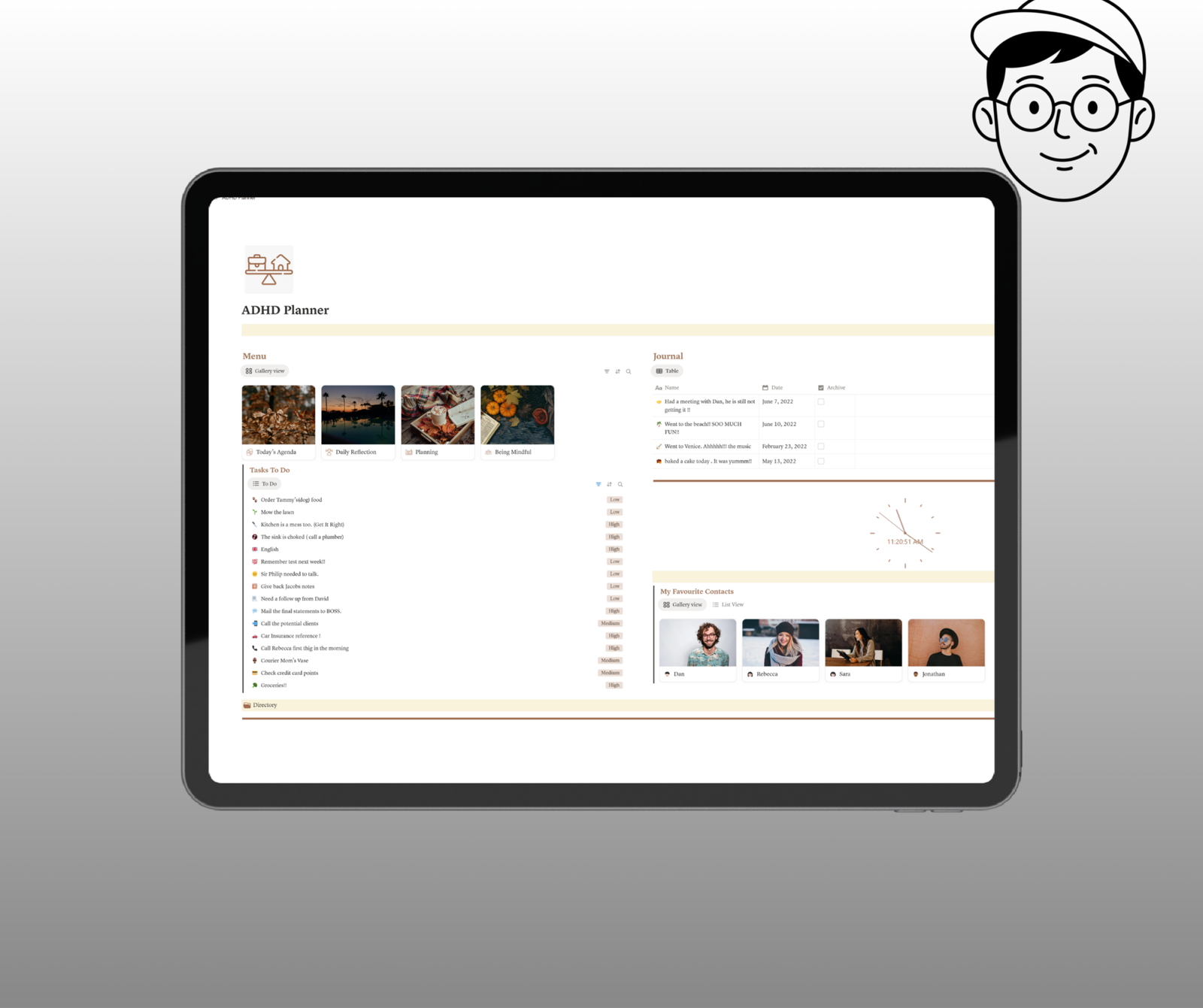
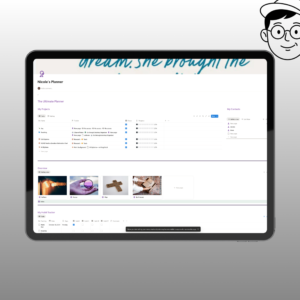
[Insert Image Here]: A screenshot of the Light Mode Dashboard showing the clean, chic layout.
Detailed Breakdown of Your New ADHD Friendly Notion Template
To provide a true “road map” for your future, we have included multiple pages that handle every facet of your life. This ADHD Friendly Notion Template is divided into four primary pillars:
1. The Daily Agenda (The Nerve Center) The “Today’s Agenda” section is where you live. It breaks down into:
-
Personal Tasks: Things you need to do for you.
-
Home Chores: Simple reminders to keep your environment clear.
-
Office Appointments: Professional tracking to ensure you never miss a meeting.
-
Academics: A dedicated space for students to track deadlines and study sessions.
2. Journaling & Connections The “Journal” section includes a space for your Favorite Contacts and a daily journaling prompt. Externalizing your thoughts is a proven psychological approach to reducing the weight of “ADHD brain fog.”
Managing Work, Home, and Academics in One Place
One of the biggest struggles for neurodivergent individuals is “context switching”—the mental energy it takes to move from thinking about work to thinking about home.
By housing everything in one ADHD Friendly Notion Template, you eliminate the need to jump between five different apps. Whether you are tracking “High Priority Tasks” for your job or checking your “Calendar Planner” for a friend’s birthday, it’s all in one centralized dashboard. Everything is fully customizable, meaning you can add or remove sections as your needs change over time.
Practicing Mindfulness with Digital Systems
Productivity is nothing without peace. The “Being Mindful” section of this template is designed to anchor you:
-
Daily Habit Tracker: Small wins that build long-term momentum.
-
Morning Ritual: Start your day with intention instead of reaction.
-
Night Ritual: Transition your brain into “sleep mode” to combat ADHD-related insomnia.
-
Clock & To-Do: Real-time awareness to help fight “time blindness.”
Technical Specs & How to Use Your Purchase
When you choose to optimize your life via the Mynotiom Store, the process is seamless and instant.
What You Will Receive:
-
Instant Download: No waiting for shipping.
-
PDF Guide: A clear instruction manual containing your unique link to the ADHD Friendly Notion Template.
-
Customer Support: If you have questions about how to duplicate the template or customize your blocks, I am here to help.
How to Start:
-
Purchase: Complete your checkout to get your PDF.
-
Duplicate: Click the “Duplicate” button in the top right corner of Notion.
-
Personalize: Change the colors or icons if you wish—it’s 100% yours.
Stop fighting against your brain and start working with it. This minimalist system is more than just a template; it’s a calmer way of living.
Related products
-
Sale!
Notion Lifebook Dark Mode | Ultimate Life Planner & Organizer
Original price was: $ 9,99.$ 6,89Current price is: $ 6,89. -
Sale!
All-in-One Life Planner Notion | Minimalist Daily Organizer
Original price was: $ 9,99.$ 6,89Current price is: $ 6,89. -
Sale!
-
Sale!
7+ Life-Changing Notion Template ADHD Tools for Women: The Ultimate 2026 Focus Guide
Original price was: $ 9,99.$ 0,00Current price is: $ 0,00.